
Rebellious Rose
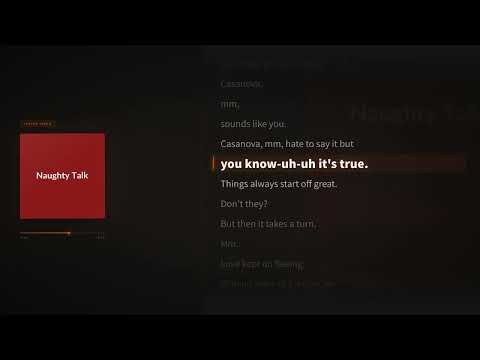
Casanova, a lyric video made from an uploaded song.
Upload your audio file and get a lyric video with every word timed to the vocals. AI writes out the lyrics, you correct anything it misheard, and you download an MP4 for YouTube, TikTok or Instagram. No timeline editing and no typing out the whole song.
Drop in your MP3 or other audio file. You will need a free LyricMV account to upload and transcribe.
A signed-in LyricMV account is required before audio upload or transcription. · 50 MB max
No upload needed — pick a sample and jump straight in.
Real songs, turned into lyric videos with LyricMV.
Casanova, a lyric video made from an uploaded song.

Word-by-word animation on a full-length YouTube release.

A vinyl-style template exported in HD for YouTube.
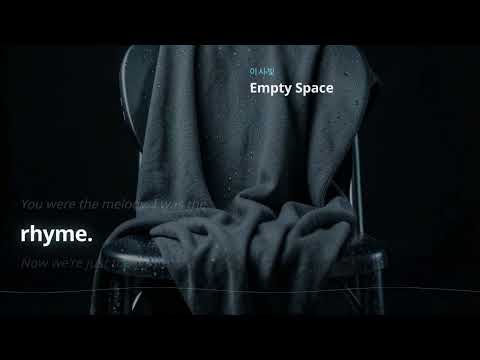
A cinematic lyric video published to YouTube at 1080p.
An audio file holds no lyric or timing data, so the converter creates both from the vocals.
AI transcribes the vocals, and the language is detected automatically. Accuracy is best on clear lead vocals.
Each word gets its own start and end time, so the words on screen follow the singer.
Compare the transcript with your own lyrics and fix misheard words, names and ad-libs before you render.
Render 1920×1080 for YouTube, 1080×1920 for TikTok, Reels and Shorts, or 1080×1080 for feeds.
Four steps from audio file to MP4.
Use the final mix as an MP3, WAV, M4A, AAC, FLAC, OGG or WebM file under 50MB.
AI transcribes the song. Read through the result and fix any words it got wrong.
Choose landscape, vertical or square, then compare templates with free 15-second previews of your own song.
Rendering costs 10 credits per started minute of audio. Download the MP4 when it finishes.
A few things that make the conversion more accurate.
Upload the version you plan to release. Timing is created from this exact audio, so a later edit to the song would put the words out of sync.
If a WAV is over 50MB, export it as a 320 kbps MP3. A 5-minute song at that rate is about 12MB.
Dense mixes and heavily processed vocals are harder to transcribe. Having your lyric sheet open makes the check quick.
Common questions about converting audio into a lyric video.
Upload your song, check the lyrics and compare templates with free previews.