
Step 1 — Get your final audio and lyrics ready
Use the exact mix you plan to release, because timing is tied to that audio. Keep your lyric sheet open so you can check every line.
A lyric video needs three things: your final audio, lyrics timed to the vocals, and a readable design. This guide walks through each step, whether you time the words by hand or let AI do it, and what to check before you publish.
The same order works with any tool.
Use the exact mix you plan to release, because timing is tied to that audio. Keep your lyric sheet open so you can check every line.
Place each line by hand in a video editor, or use AI to transcribe the song and time every word. Either way, compare the result with your lyric sheet and fix misheard words.
Use 16:9 for a full YouTube upload and 9:16 for Shorts, TikTok and Reels. Your cover art or one strong image is often enough, as long as the words stay easy to read.
Watch a preview on a small screen. Check that the text is readable, each line stays up long enough, and the timing holds in the chorus.
Export an MP4 and title it clearly, such as Song Name - Artist Name (Lyric Video). Add the full lyrics to the description so people can find it by searching a line.
Pick based on how much time you have and how much control you want.
Free tools such as CapCut or DaVinci Resolve give you full control. You add and move a text layer for each line, which gets slow on a full song.
LyricMV transcribes your song and times every word. You correct mistakes in the editor instead of placing each line yourself.
Upload your song, and AI writes out the lyrics and times every word. You will need a free LyricMV account to upload and transcribe.
A signed-in LyricMV account is required before audio upload or transcription. · 50 MB max
No upload needed — pick a sample and jump straight in.
Most problems are easy to catch before you publish.
Show one or two lines at a time. Viewers should be able to read a line while it is being sung.
Busy images make lyrics hard to read. Choose a simpler image or a template with stronger contrast.
Automatic transcription can miss words in dense mixes, ad-libs and heavily processed vocals. Read every line against your lyric sheet.
If you edit the audio later, the words can fall out of sync. Finish the mix first.
Real songs turned into lyric videos with LyricMV.
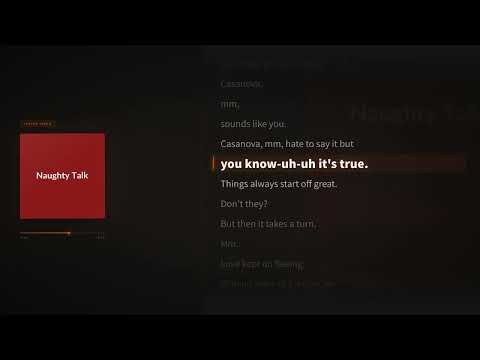
Casanova, a lyric video made from an uploaded song.

Word-by-word animation on a full-length YouTube release.

A vinyl-style template exported in HD for YouTube.
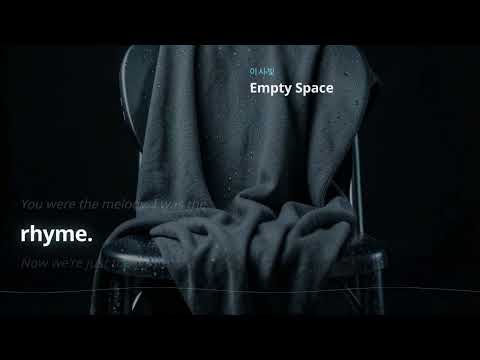
A cinematic lyric video published to YouTube at 1080p.
Common questions from artists making their first lyric video.
Upload your song, check the lyrics and compare templates with free previews.