
Rebellious Rose
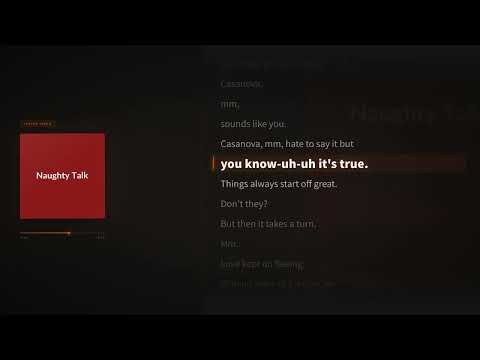
Casanova, a lyric video made from an uploaded song.
You finished the track, and now it needs something to release on YouTube. Upload your song, and LyricMV times your lyrics to the vocals and sets them over your own artwork with your artist name. You need no editing software and no video budget, and you can do it again for every song you release.
Drop in your final mix. You will need a free LyricMV account to upload and transcribe.
A signed-in LyricMV account is required before audio upload or transcription. · 50 MB max
No upload needed — pick a sample and jump straight in.
Real songs, turned into lyric videos with LyricMV.
Casanova, a lyric video made from an uploaded song.

Word-by-word animation on a full-length YouTube release.

A vinyl-style template exported in HD for YouTube.
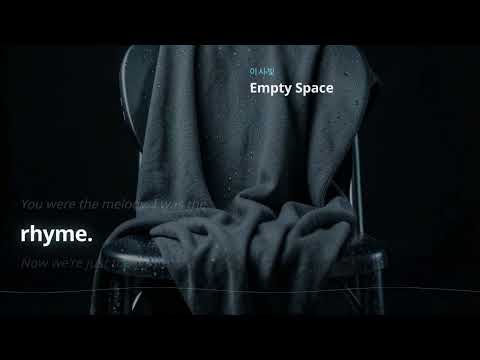
A cinematic lyric video published to YouTube at 1080p.
The video should look like it belongs to your song, not to a generic template.
Most templates can use your album art or a photo as the background, so the video matches your release.
Add your song title and artist name to the project so the video carries your name.
AI transcribes your vocals and times each word. You keep control and can correct every line before rendering.
Render landscape 1080p for your YouTube release, then vertical for TikTok, Reels and Shorts or square for feeds.
Four steps from final mix to release-ready MP4.
Use an MP3, WAV, M4A, AAC, FLAC, OGG or WebM file under 50MB.
Compare the AI transcript with your lyric sheet and fix anything it misheard.
Pick a template, add your artwork and artist name, and compare options with free 15-second previews.
Render the full song, download the MP4 and upload it to your channel.
If you release often, a repeatable process matters more than any single video.
Use the same template and your own artwork for each release, so your channel looks like one catalog.
Rendering costs 10 credits per started minute, so a 3:30 song costs 40 credits. You can work out each release before you start.
One-time packs start at $9.90 for 200 credits. If you release regularly, the Creator plan is $19.90 a month for 700 credits.
Common questions from artists making a lyric video for their own music.
Upload your song, add your artwork and compare templates with free previews.